YEAR
2025
Blupon Application
Everyone loves discounts, but the process of finding valid coupon codes is often frustrating.
People jump between websites, outdated lists, or random posts, only to end up with expired or fake codes.
When I started looking into this, I noticed three recurring issues:
Scattered information: Coupons exist on multiple websites and social media posts.
Lack of trust: Users can’t tell which codes are real until they try them.
Poor usability: Even when apps exist, they’re often cluttered with ads or confusing navigation.
I wanted to design a simple, ad-free experience that makes discovering and using coupons as easy as copying a code.
Coupon codes
Mobile App & Website
Client
Anwar Alghamdi
View Live Project

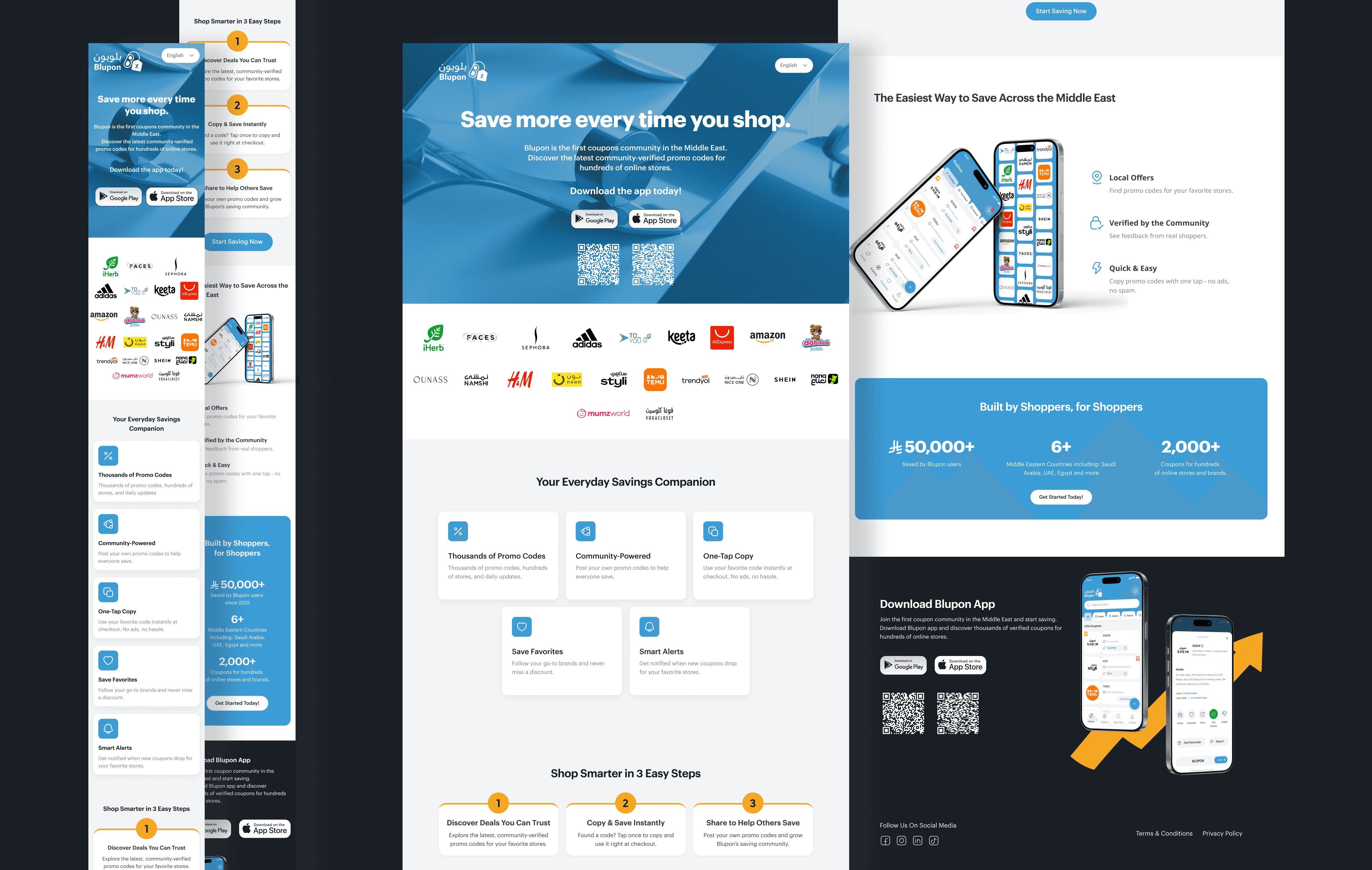
Analysis - Performance and Responsiveness
Design a lightweight app that:
Lets users browse coupons by category or store.
Allows them to copy codes instantly without pop-ups or redirects.
Feels trustworthy, fast, and clutter-free.
It's called Blupon: short for Blue + Coupon, a nod to simplicity and calmness.
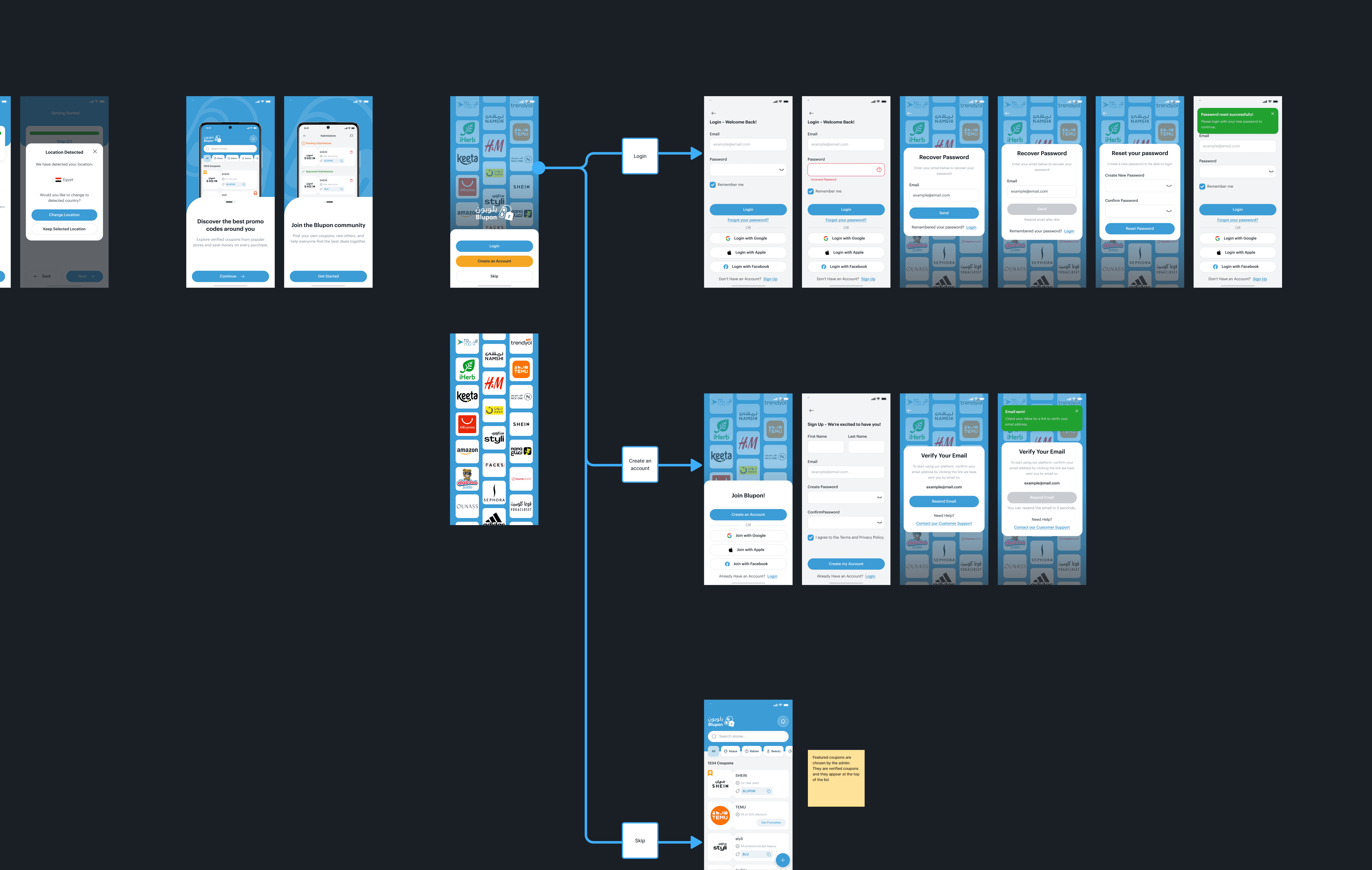
Research & Insights
Understanding the Users
I identified two main user groups:
User Type | Goal | Pain Point |
|---|---|---|
Bargain Seekers | Find active coupons for online stores | Too many expired or fake codes |
Casual Shoppers | Use discounts occasionally | Complicated apps with too many steps |
Competitive Review
I explored apps like Honey, RetailMeNot, and CouponBirds.
While they’re well-known, they share a pattern: heavy branding, complex interfaces, and multiple redirections before a user can even copy a code.
This helped me realize that simplicity itself could be Blupon’s biggest differentiator.
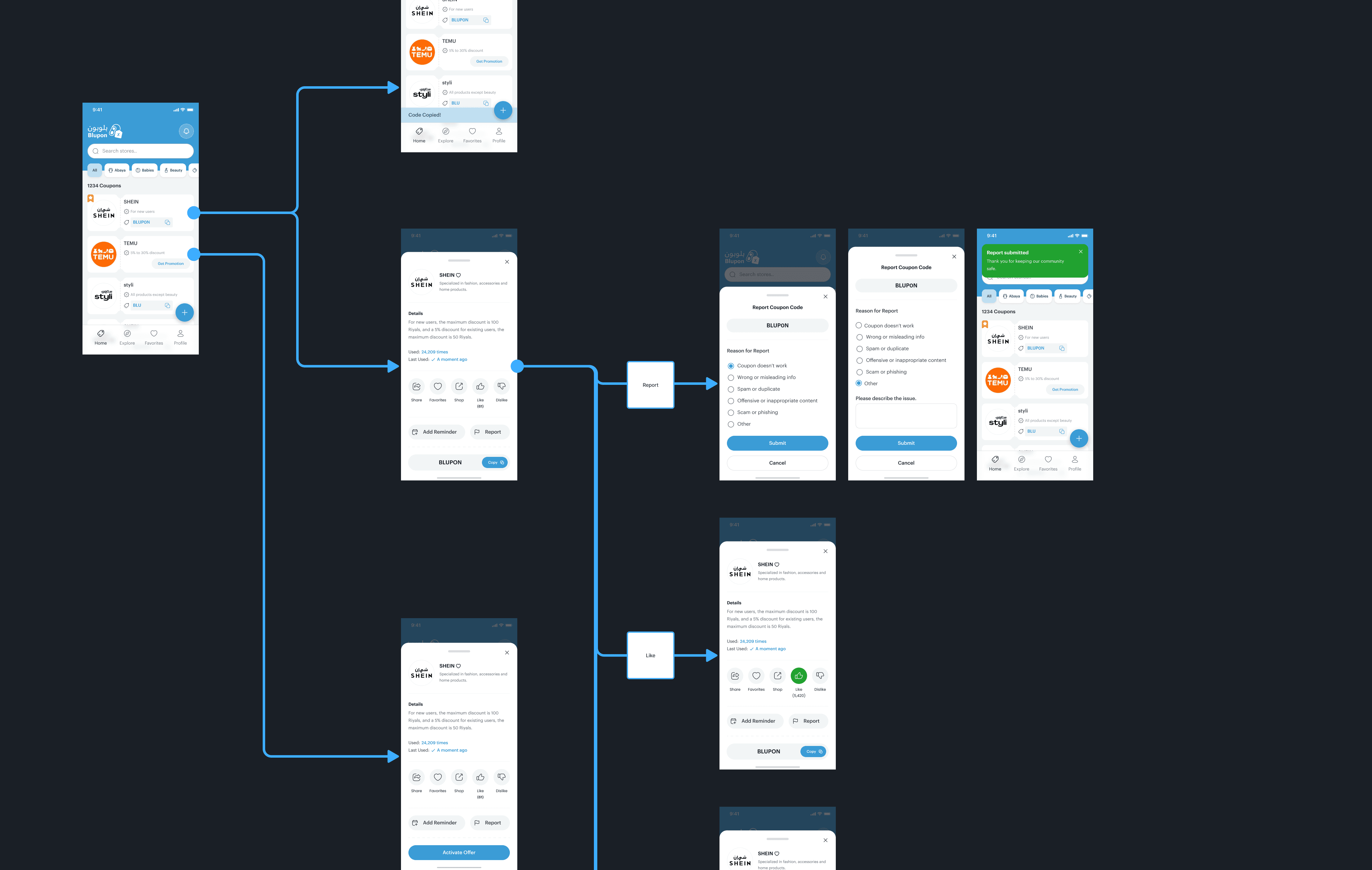
The Design Challenge
“How might we help users find and use coupon codes without frustration or distractions?”
From there, I defined three guiding design principles:
Clarity: Information first, decoration second.
Speed: Fewer taps → more satisfaction.
Trust: Make everything feel safe and genuine.
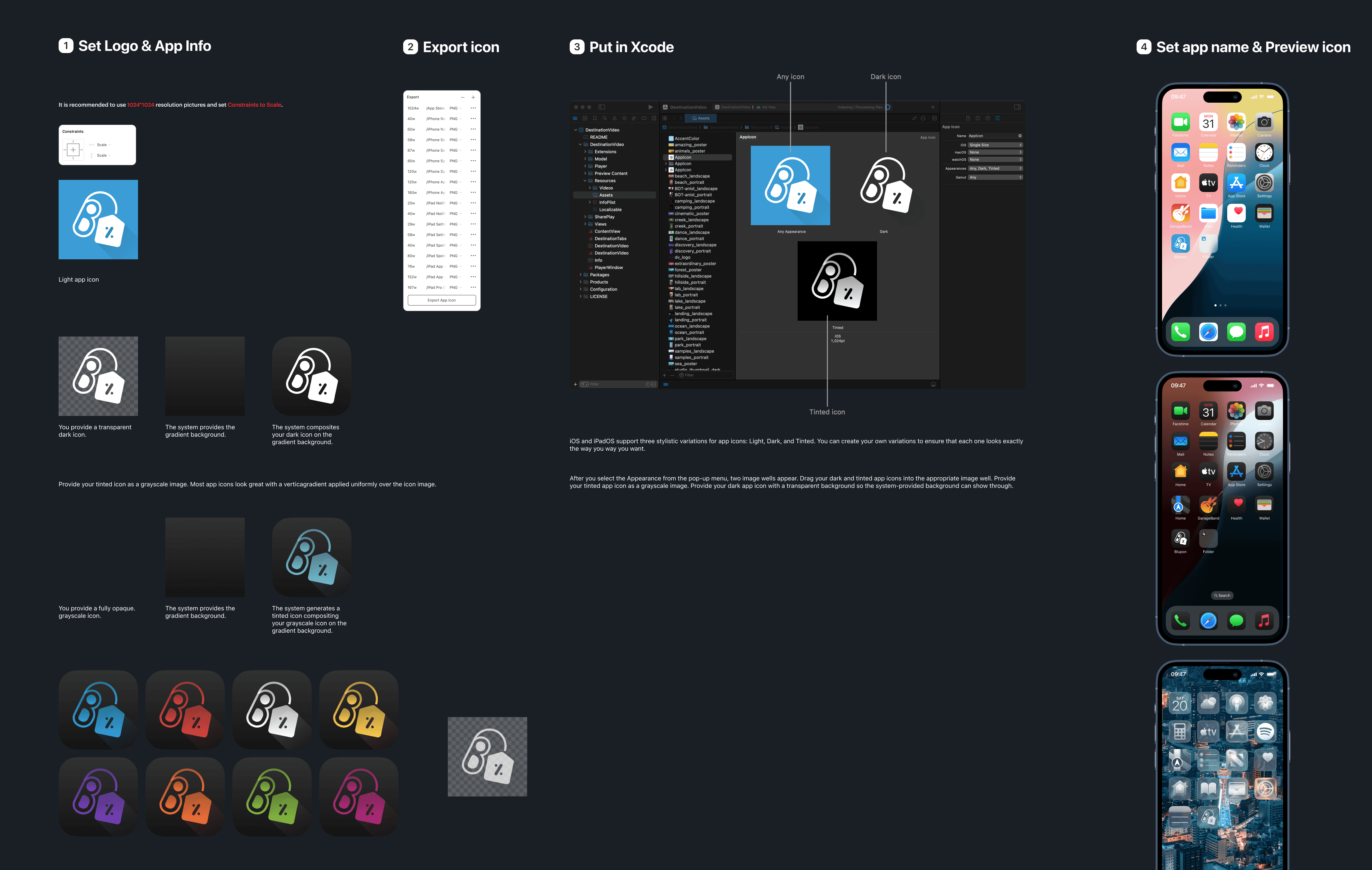
Information Architecture
To make navigation intuitive, I mapped out the user flow around core actions:
Home: Featured & trending coupons
Explore: Browse by category or brand
Search: Find specific stores
Notifications: New coupons or expiring codes
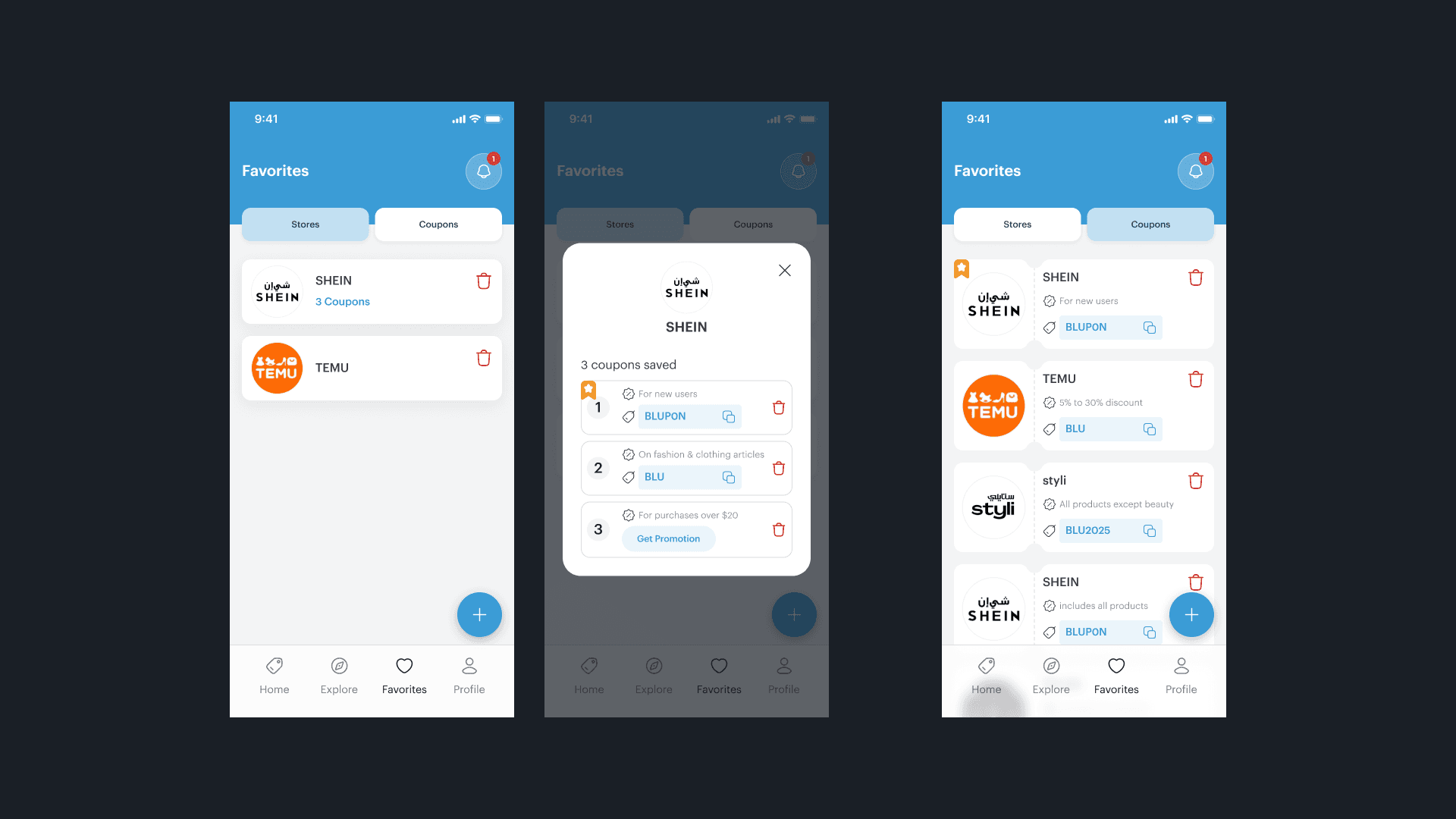
Profile: Manage preferences & saved codes
This gave users just enough structure to explore without overwhelm.
Visual Design
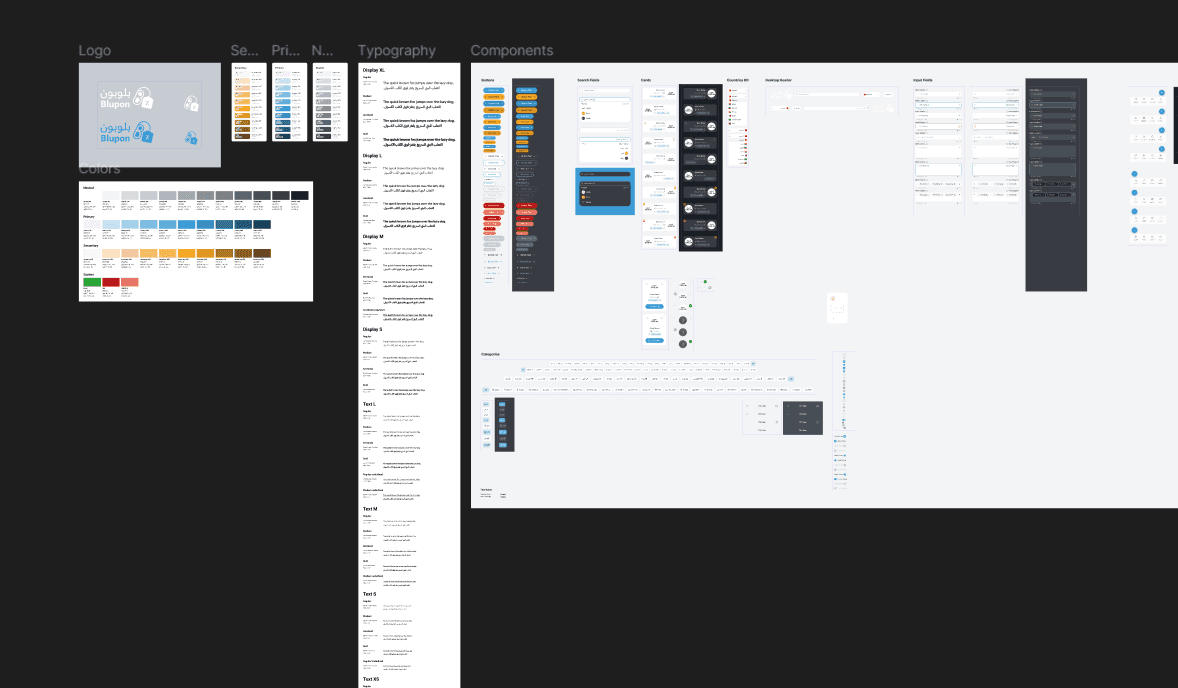
Color & Style
Blupon’s primary color: #3B9CD6, a calm yet vibrant blue that conveys reliability and optimism.
I paired it with a light background and a soft secondary accent to maintain focus on content.
Typography is simple and legible - no decorative fonts, just clean sans-serif for clarity.
Iconography & Components
I used a minimalist set of icons: Huge icons Library
Key Screens
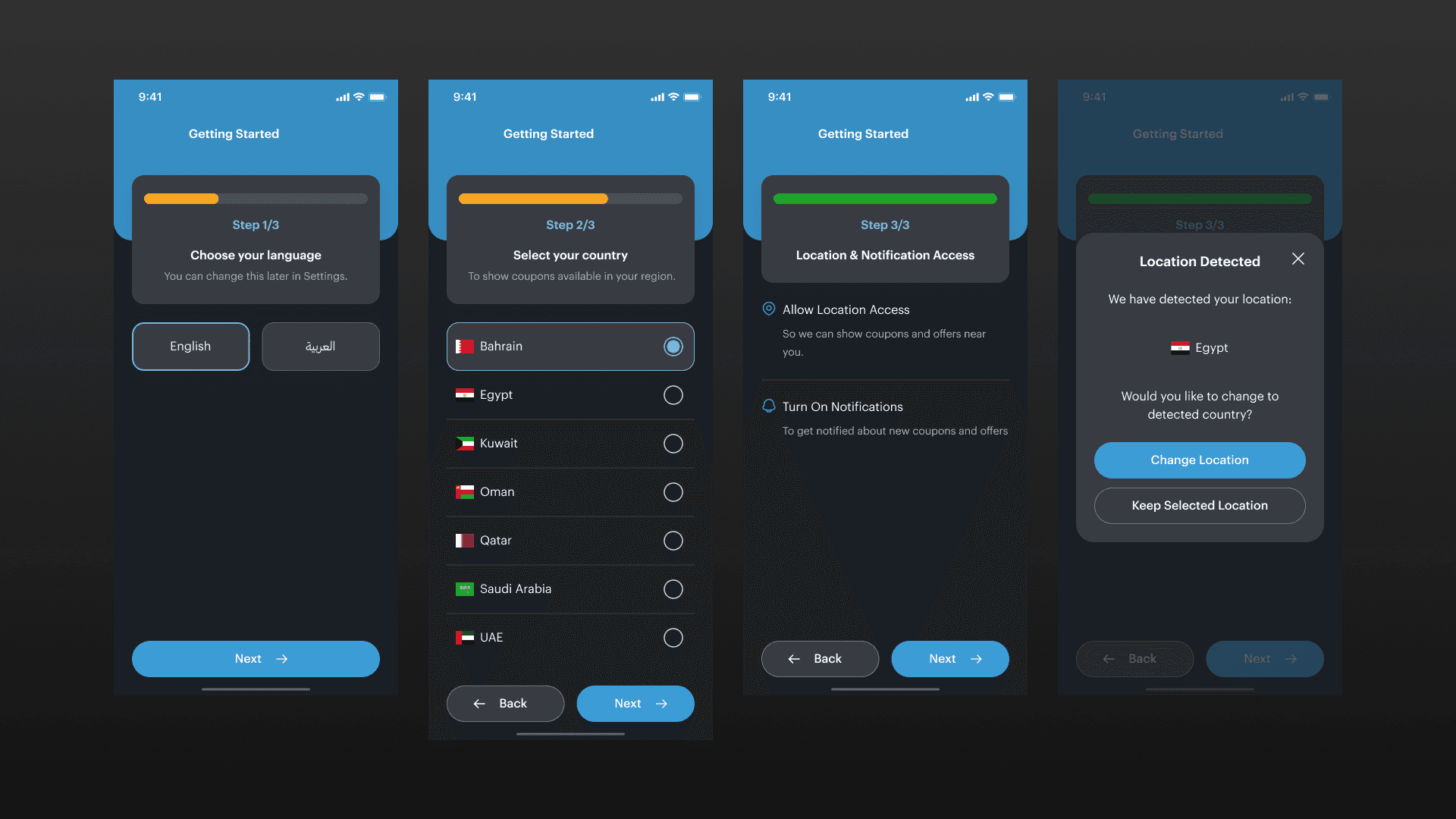
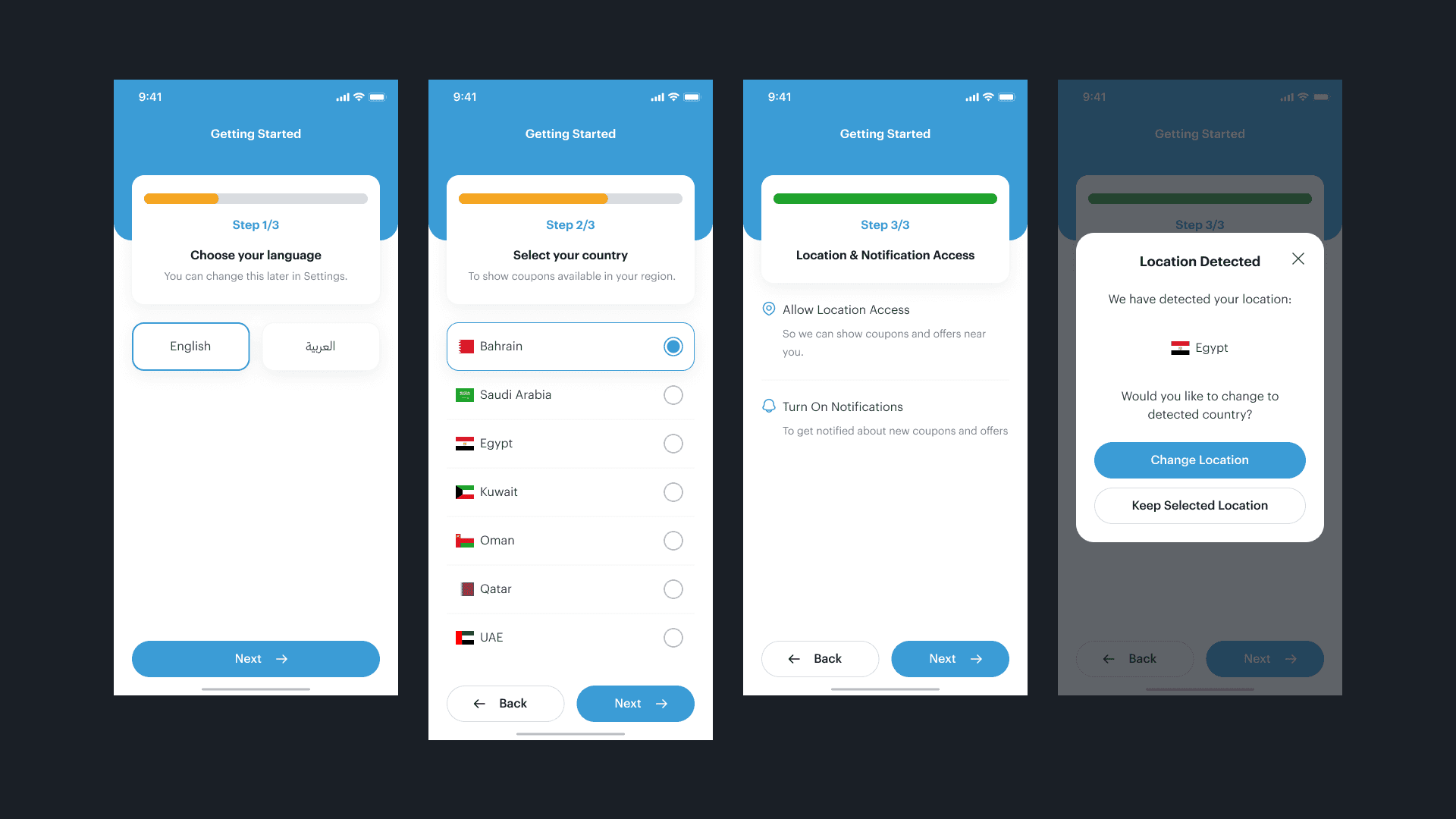
Onboarding
Two quick welcome screens introducing Blupon in a short and friendly way with a language, location, and accessiblity selections.
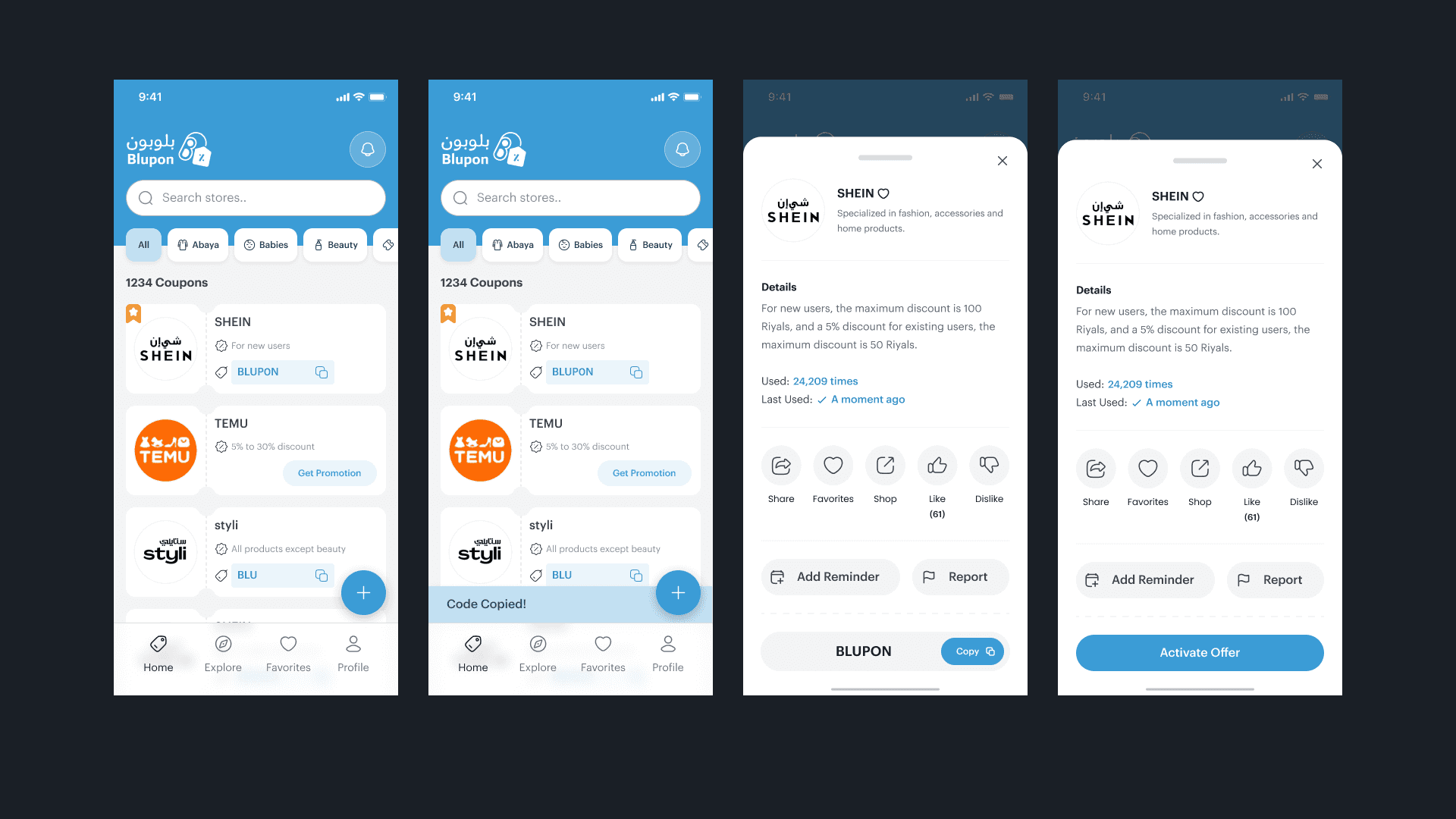
Home Screen
Clean layout showing trending coupons.
Each coupon displayed as a card with logo, discount, and a “Copy Code” button.
No ads or extra banners - the focus stays on usability.
Explore
Filter coupons by category (Fashion, Electronics, Food, Travel, etc.).
Search bar with smart suggestions.
Scrollable sections encourage discovery without overwhelming.
Manage Notifications
Users can toggle categories for alerts.
Simple, toggle-based interface: no hidden menus.
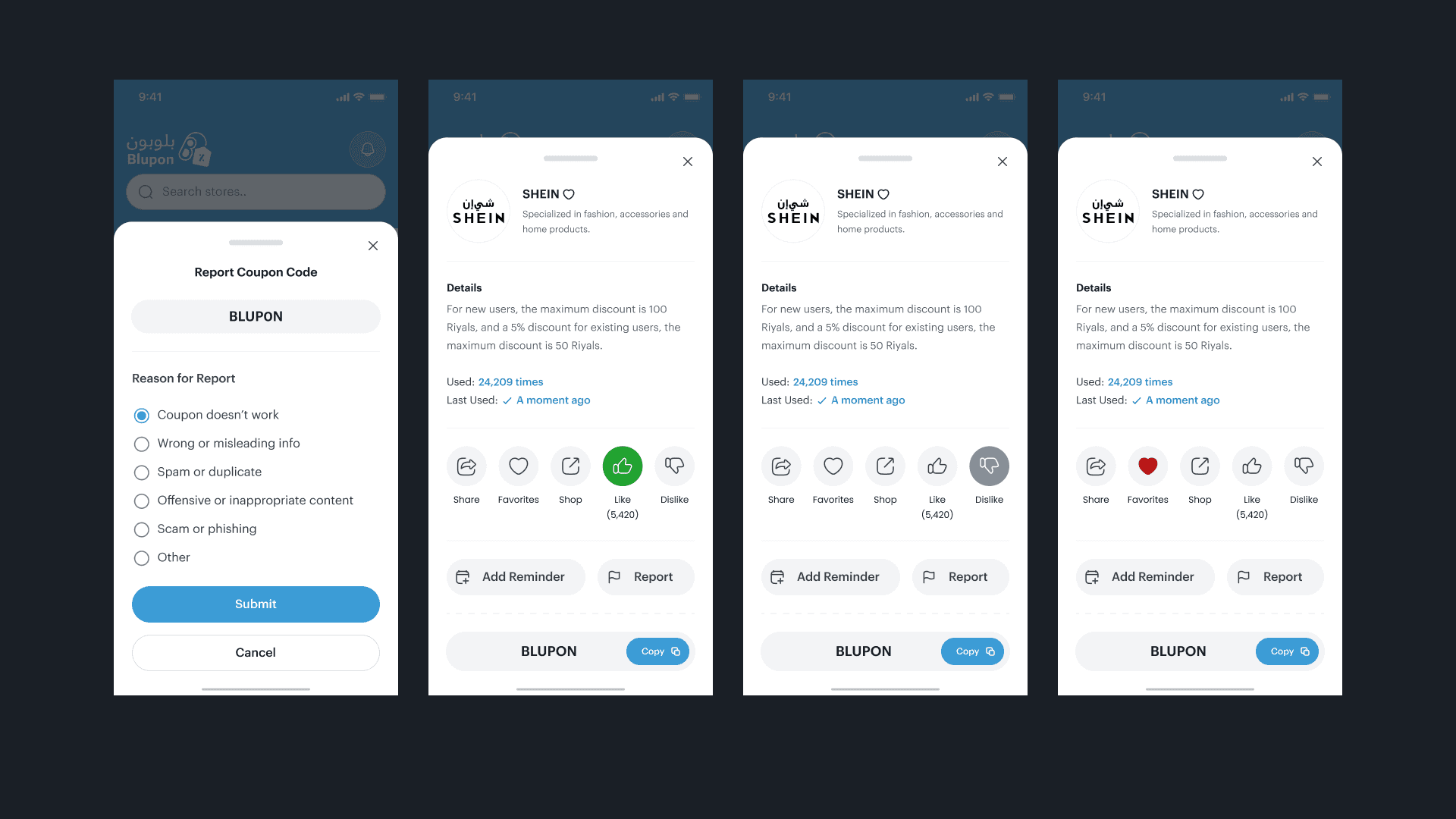
Report Coupon
Users can report expired or incorrect codes, keeping data clean and trustworthy - a small but powerful community feature.
The Outcome
Blupon delivers what most coupon apps don’t: peace of mind.
It’s light, fast, and visually consistent.
Users can open the app, copy a code, and save money - all within seconds.
The design solves the original problems:
- Clear, trustworthy interface
- Minimal steps from discovery to action
- Organized information structure
Reflections & Next Steps
What I learned:
Less is truly more when dealing with repetitive user flows.
Clarity and whitespace are as important as colors and icons.
Even simple ideas (like copying a code) benefit from UX testing and iteration.
Next steps:
Add a community “Upvote / Downvote” feature for code reliability.
Introduce smart reminders (e.g., “Your favorite store added a new deal”).
Integrate analytics to track what kind of coupons users engage with most.
Final Thoughts
Blupon isn’t just another coupon app, it’s a small UX statement on how simplicity and trust can reshape a routine task.
Designing it reminded me that users don’t come for fancy UI, they come for ease, honesty, and flow.
More Other cases
FAQ