YEAR
2025
Ciba AI Chatbot
Ciba is an AI-powered chatbot designed for individuals and teams who want clear, trustworthy answers through natural conversation. The product focuses on calm interaction, structured thinking, and collaboration, positioning AI as a supportive assistant rather than an intrusive tool.
As the UI/UX designer, I focused on conversational UX, interaction clarity, and designing features that support uninterrupted thinking and safe team collaboration.
AI Chatbot
Product Design
Client
Andreas Prodromou

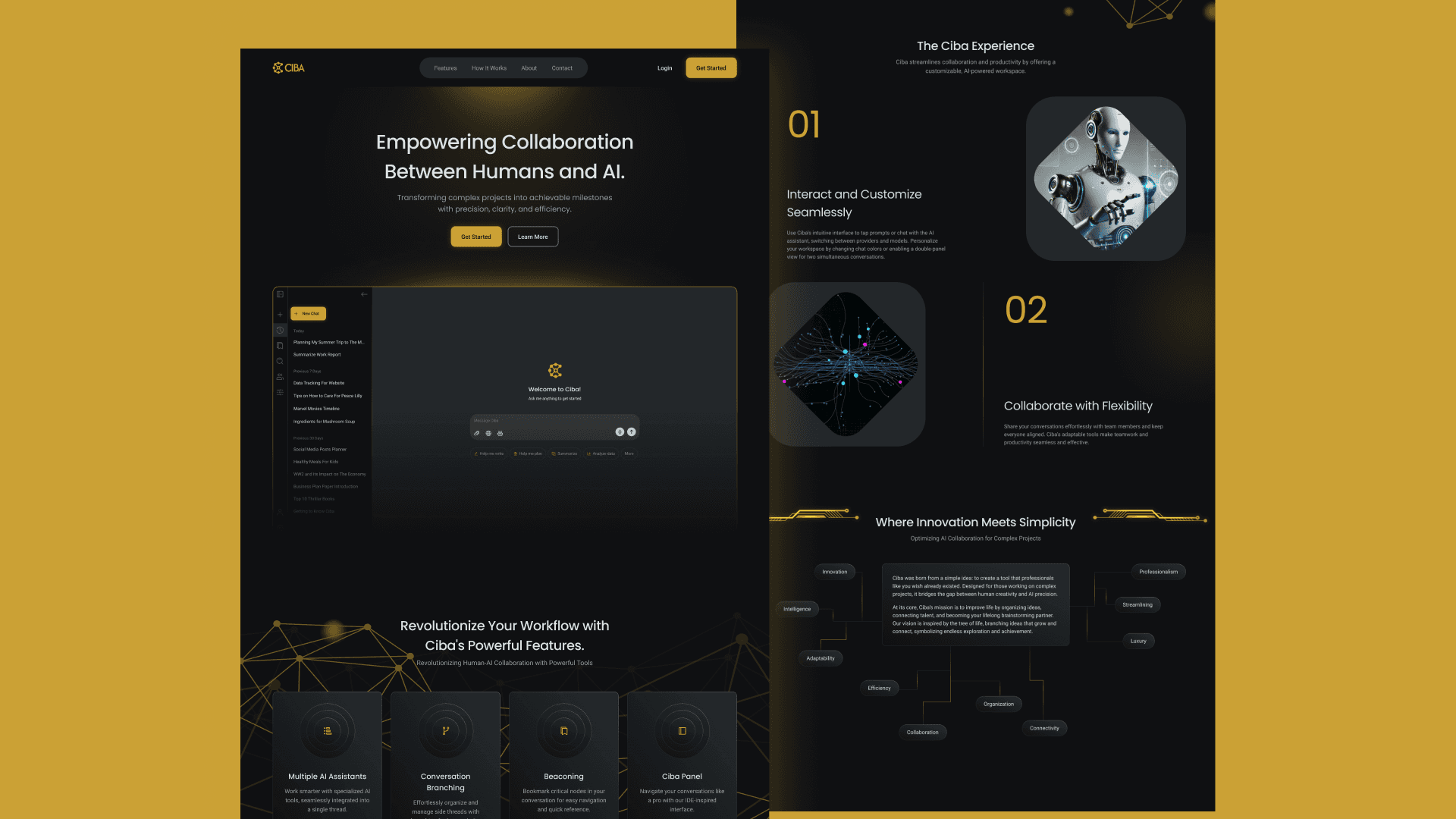
Analysis - Performance and Responsiveness
Ciba is an AI-powered chatbot designed to help individuals and teams get clear answers and guidance through natural conversation. The product focuses on trust, clarity, and control, especially in collaborative and professional contexts.
My goal with Ciba was to design a conversational AI that feels human, structured, and respectful of users’ thinking flow.
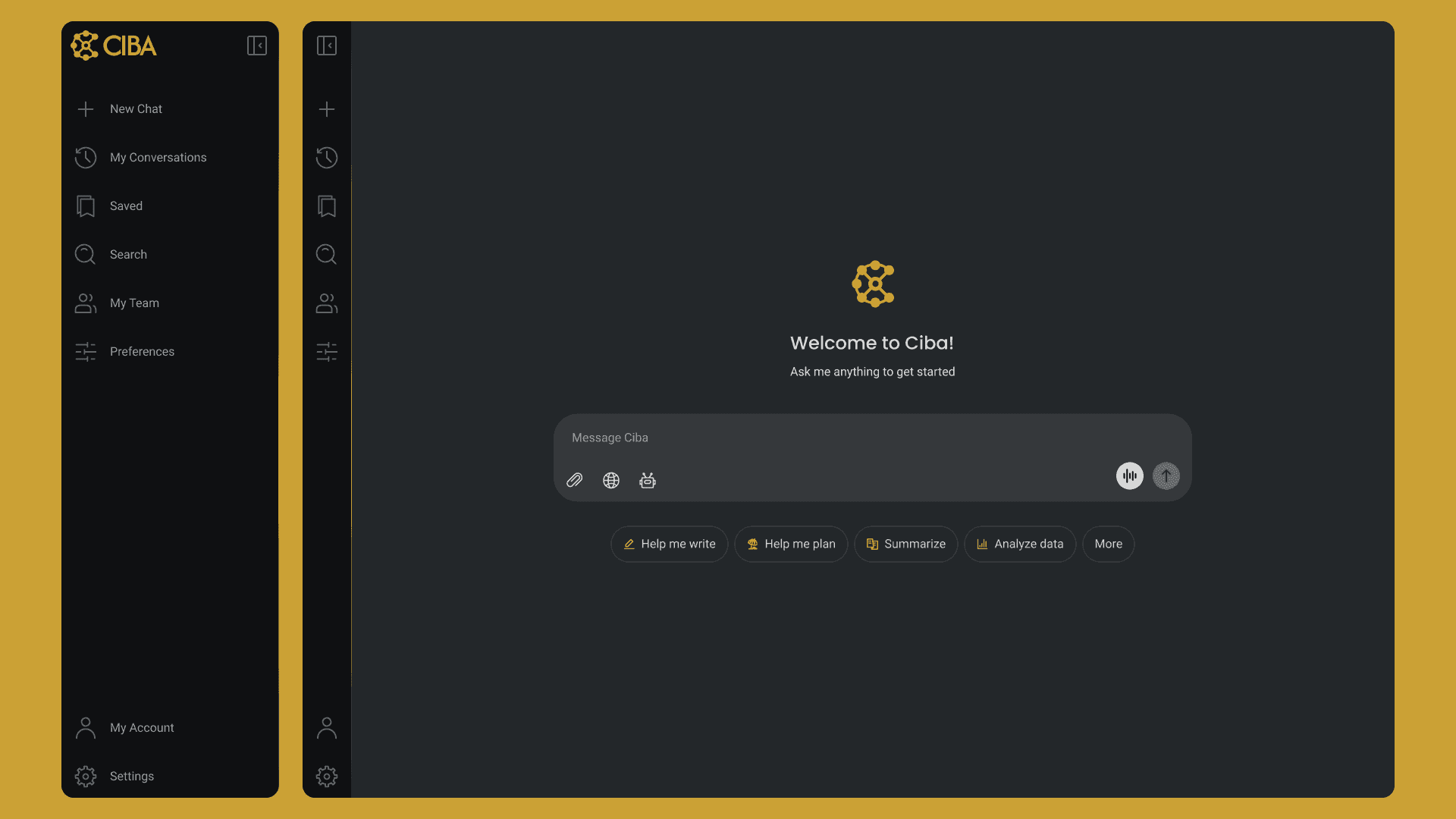
2. Problem
Most AI chatbots today interrupt users’ thinking rather than supporting it. Common problems include:
Conversations becoming messy when topics overlap
No way for teams to collaborate safely in one chatbot
Lack of control over what others can see
Interfaces that feel generic or overwhelming
This leads to confusion, low trust, and poor long-term usage.

3. Goals
The main design goals for Ciba were:
Keep conversations clear and uninterrupted
Make AI collaboration safe for teams
Allow users to feel ownership over their space
Reduce anxiety when interacting with AI
The product should feel calm, reliable, and adaptable.

4. Target Users
Ciba is designed for:
Freelancers and solo professionals
Small teams
Non-technical users
People who rely on chat tools daily
Users value simplicity, clarity, and control more than advanced AI features.

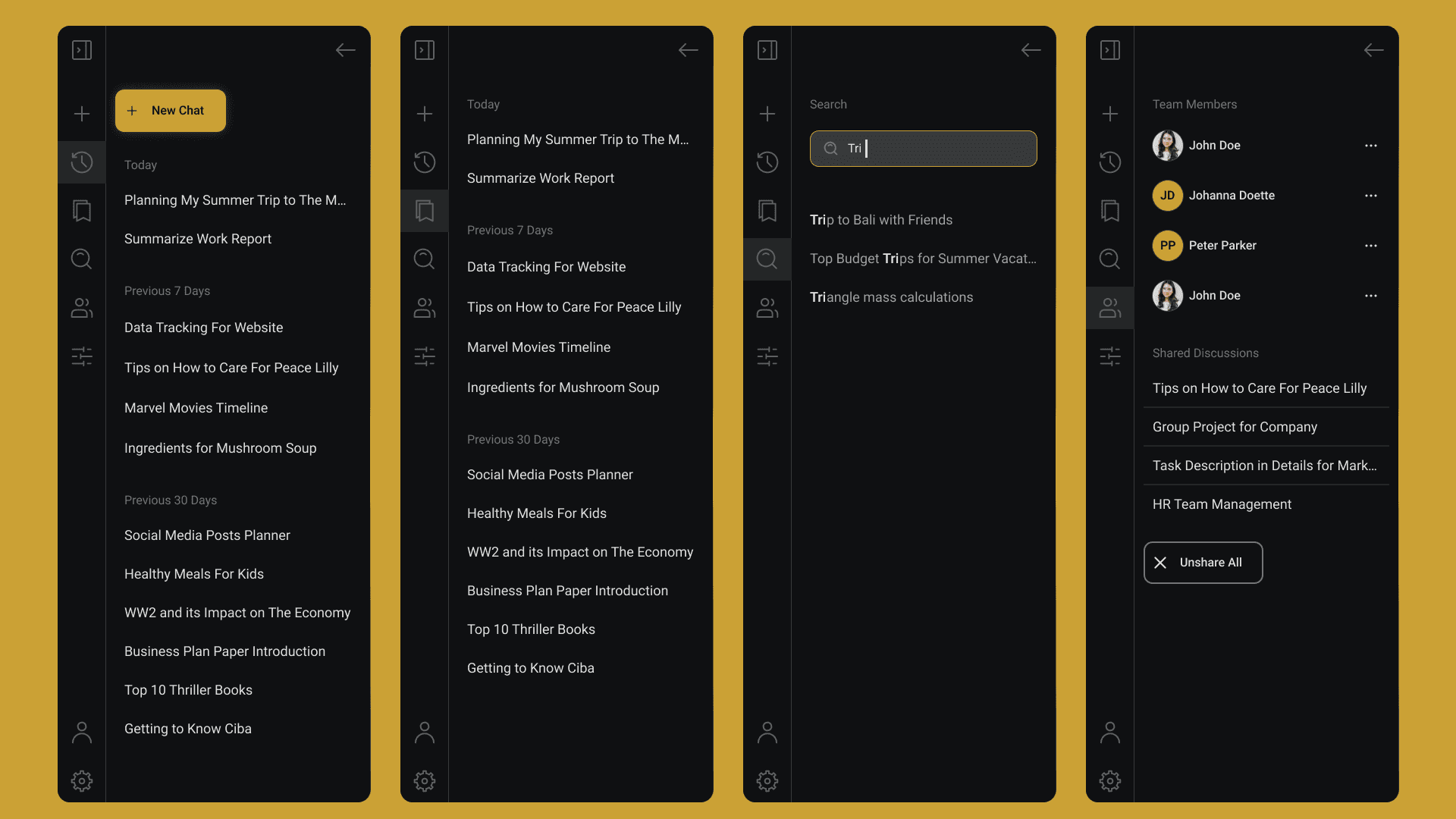
5. Key Features
Ciba includes several differentiating features:
Main Conversation: The primary chat that keeps the core discussion intact
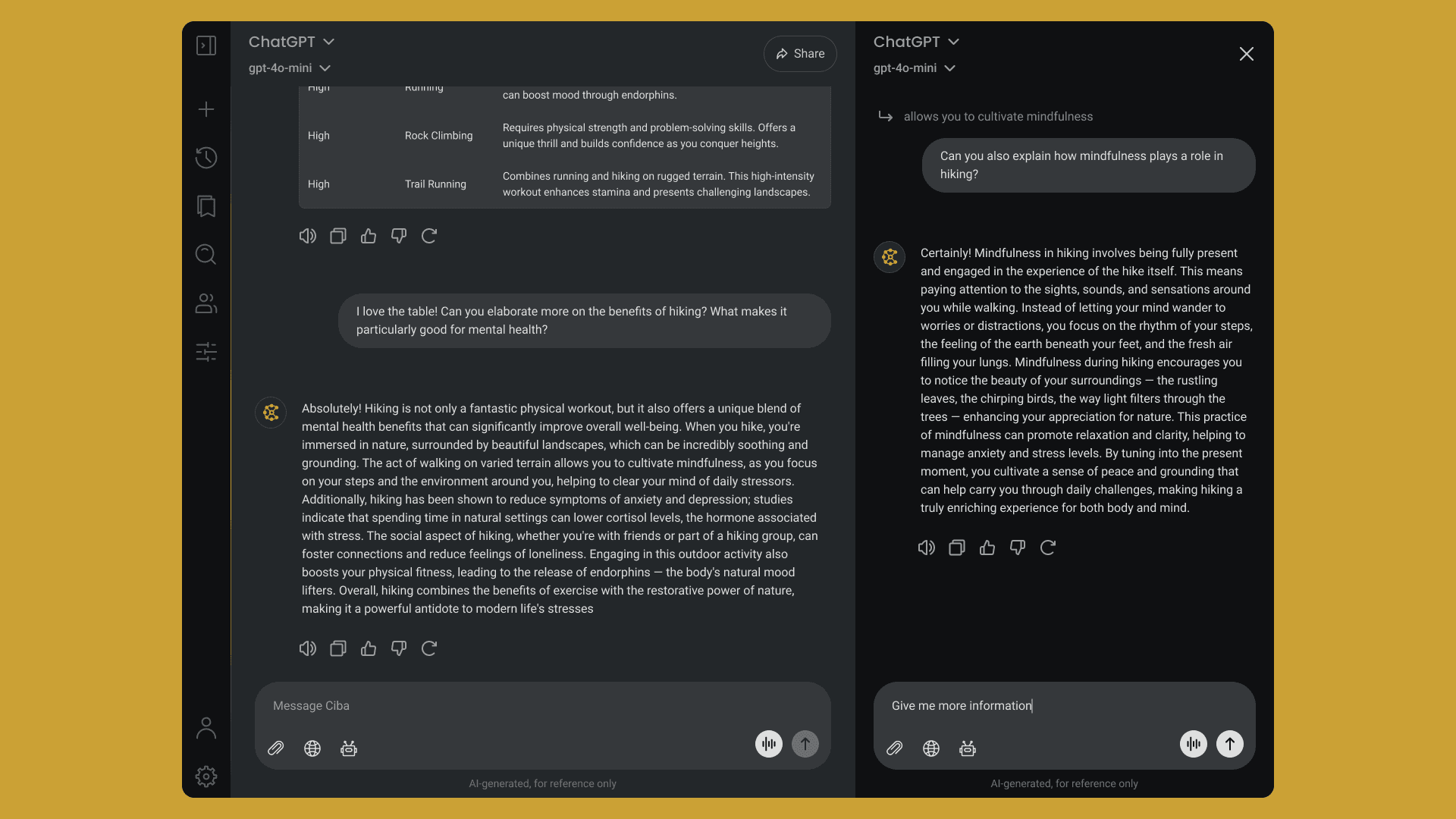
Double Conversations (Side Threads): Conversations inside the main conversation, allowing users to explore ideas without interrupting the original flow
Team Collaboration: Multiple users can share the same chatbot
Visibility Control: Control what each team member can see or access
Interface Customization: Customize colors, layout, and chat appearance
Prompt Suggestions: Help users start or unblock conversations
These features are designed to reduce cognitive overload.
6. User Flow
A typical flow looks like this:
User opens Ciba
Starts a main conversation
Opens a side conversation to explore a topic
Returns to the main conversation without losing context
Optionally invites team members with defined visibility
This flow keeps conversations structured and intentional.
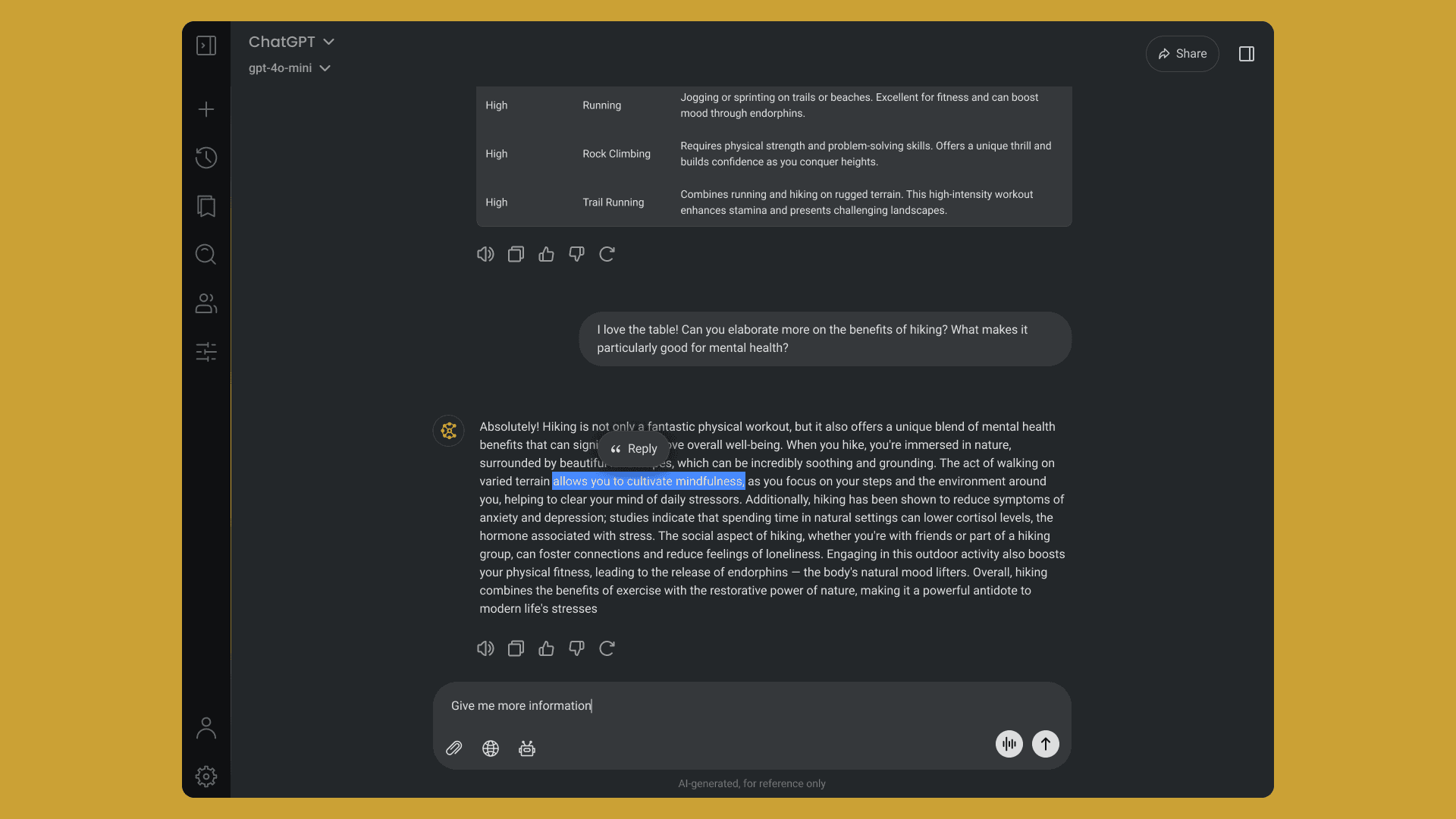
7. UX & UI Decisions
Key design decisions included:
Minimal interface centered on the conversation
Clear visual separation between main and side conversations
Friendly, neutral AI tone
Short, scannable responses
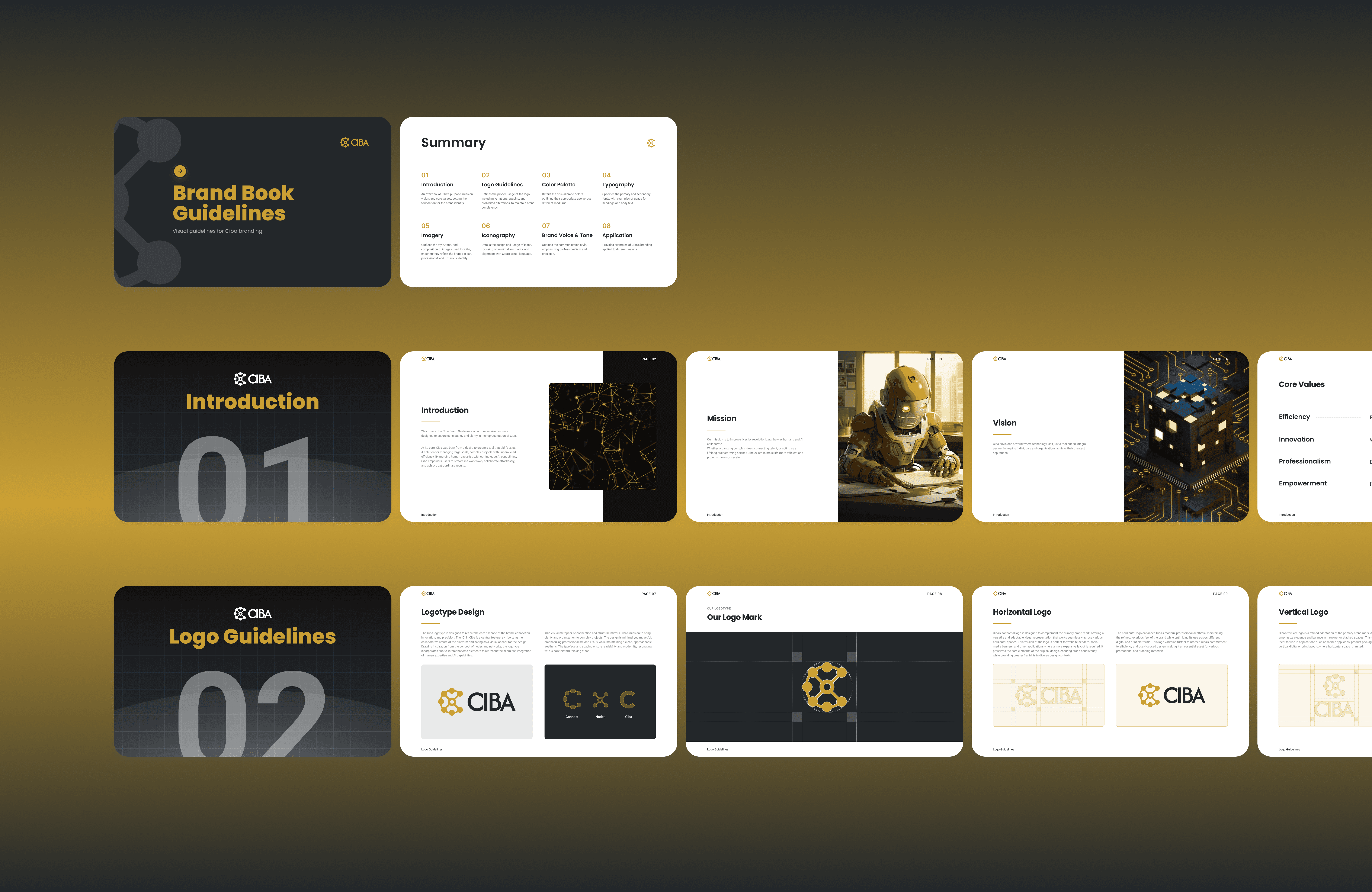
Calm and luxurious colors and high readability
The interface avoids distraction and supports focus.
8. Challenges
Main challenges during the design process:
Designing side conversations without adding complexity
Making collaboration features feel safe and understandable
Balancing customization with simplicity
Each challenge was addressed by prioritizing clarity over flexibility.
9. Outcome
Ciba demonstrates a strong approach to conversational UX and collaborative AI design. The project highlights my ability to:
Design structured chat experiences
Reduce cognitive overload in AI products
Think beyond single-user use cases
Ciba positions AI as a calm, controllable assistant that adapts to how people actually think and work.
More Other cases
FAQ